
Job Costing
Understand labor costs without drowning in complexity
Most businesses don’t need a massive construction management platform to understand where their labor dollars are going. They just need clean, accurate time tied to real jobs and real work.
Worksana’s job costing gives you exactly that.
Job & task based time tracking
Track where time is spent, down to the work being done. Worksana uses a simple, flexible structure:
Jobs represent locations, projects, sites, or accounts
(for example: 123 Street Lane, Field 45A, Google Building)
Tasks represent the type of work being performed
(for example: Planting, Window Cleaning, Grading)
Employees clock into a job, optionally select a task, and get to work. No clutter. No unnecessary steps.
Tasks are optional, so you can keep things high-level or go deeper where it actually matters.
Switch jobs mid-shift without breaking your data
Real work doesn’t happen in neat blocks, Employees can switch jobs or tasks at any point during their shift. That means:
One employee can work multiple jobs in a single day
Time is accurately allocated without ending or restarting a shift
Supervisors get a clean picture of how labor was actually spent
Switching is always intentional and manual. We do not auto-switch based on location because, in real operations, that creates more problems than it solves.
If you want to add guardrails, geofences can be assigned to job sites so employees must be on location to clock in or switch.
Clean data in, clean data out
Export labor data where you need it
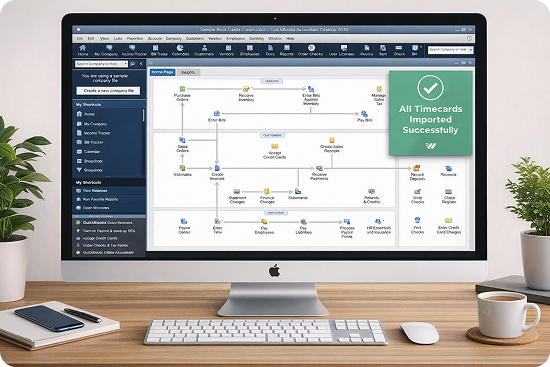
Job and task data can be exported to payroll, accounting systems, and industry-specific software. Many customers use Worksana for accurate time capture and compliance, then push that data into more specialized tools for billing, estimating, or reporting.
You get reliable labor data without forcing your team to juggle multiple systems at clock-in
Built for real costing models
See labor costs clearly, no matter how you bill, Worksana supports multiple costing approaches, including:
Quoted recurring work
Quoted projects
Time and materials
Use job and task data to understand labor spend, stay on budget, and spot inefficiencies early. Reporting is flexible and can be filtered by date range, job, task, employee, job codes, or tags.
This gives owners and office staff fast answers to questions like:
Which jobs are consistently over budget?
How is time actually being used day to day?
Where are we spending the most labor?
Flexible job assignment that scales
Simple for employees. Powerful for admins.
Jobs are created by admins and assigned to employees. Employees only see the jobs they are authorized to work on. For teams with long job lists:
Employees can search jobs by name
Frequently used jobs can be favorited
Clock-ins and job switches stay fast, even with dozens of active jobs
This structure works just as well for a single property as it does for businesses servicing dozens of locations across multiple sites.
What Worksana job costing is (and isn’t)
Worksana is:
A compliant, easy-to-use timekeeping system
A tool that protects your business and simplifies payroll
A partner that understands California labor risk
Worksana is not:
Full construction project management
Invoicing or change order management
Deep estimating or bidding software
A replacement for highly specialized costing platforms
Worksana is intentionally lightweight, And that’s by design.
Who uses job costing in Worksana
Worksana job costing is commonly used by:
Highly specialized operations often keep their existing project systems and use Worksana alongside them for compliant time tracking.
Clear labor insights without the bloat
Worksana job costing exists to help you understand labor costs, optimize profitability, and make better decisions using real data. No heavy setup. No overbuilt features. Just the information you actually need to run your business.
Clock time where the work happens.
See exactly where your labor dollars go.
Stay compliant while you do it.
REACH OUT TO US
See how Worksana works in the real world
Get a short walkthrough tailored to your operation. We’ll show you how teams clock in, how compliance is handled, and how payroll stays accurate, without adding extra work to your day.